
What the Windows 10 Sunset Means for Your Financial Institution’s ATMs
July 2, 2026

What the Windows 10 Sunset Means for Your Financial Institution's ATMs
By Wade Zirkle | July 2026
What "End of Support" Actually Means
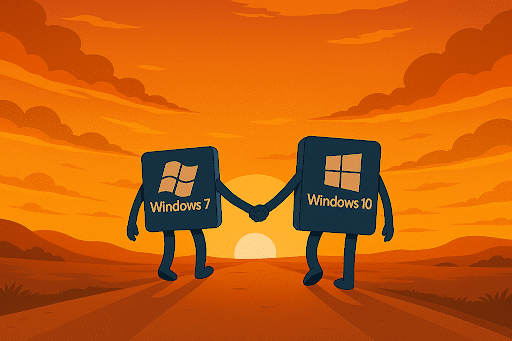
Microsoft’s end-of-support (EOS) date is not a shutdown date; Insiders call it the “Windows Sunset.” It sounds peaceful. It isn’t.
Windows 10 machines didn’t stop working on October 15, 2025. The operating system continued to boot, run applications, and process transactions. But underneath that operational surface, something critically important stopped: Microsoft ceased issuing security updates, bug fixes, driver updates, and technical support for the platform.
That distinction matters enormously in the ATM world.
Before EOS, every month brought a “Patch Tuesday” — Microsoft’s scheduled release of security fixes addressing newly discovered vulnerabilities in the Windows ecosystem. After October 14, 2025, any new vulnerability found in Windows 10 remains permanently unpatched unless an operator has enrolled in Microsoft’s Extended Security Updates (ESU) program. As cybersecurity firm CyberMaxx has noted, without these monthly updates, Windows 10 devices become “increasingly exposed to malware, ransomware, and remote code execution attacks that take advantage of flaws discovered after October 2025.” The exposure is cumulative — every month without patches adds to the list of known, unaddressed vulnerabilities on your machines.
ATMs are particularly high-value targets because they sit at the intersection of cash, cardholder data, and often thin physical security. An unpatched ATM connected to a payment network is not just a liability for that individual terminal — it’s a potential entry point into broader financial infrastructure.
How Widespread Is the Problem?
Unfortunately the challenge is widespread and it affects all financial systems, and the ATM industry is not immune.
At the time of the EOS deadline, data from TeamViewer — based on an analysis of 250 million anonymized remote support connections between July and September 2025 — found that over 40% of global endpoints were still running Windows 10. A separate ControlUp study of more than one million enterprise endpoints in mid-2025 found that half of enterprise devices hadn’t yet migrated. A Cloudhouse survey of 135 finance IT leaders conducted around the same time found that 60% of organizations were running unsupported Windows versions on servers and desktops, with 90% reporting significant “Windows technical debt.”
Those numbers are for enterprise IT broadly. The ATM industry specifically has historically lagged general enterprise computing in OS transitions — a pattern that goes back at least to the Windows XP era. When Microsoft ended support for Windows XP in 2014, industry data indicated that only about 38% of the approximately 425,000 ATMs in the U.S. had migrated off XP by the deadline, leaving more than 250,000 machines on an unsupported OS. The Windows 10 transition, while better anticipated, is following a similar pattern.
ATM Marketplace reported in late 2025 that while 60–70% of ATMs had been at least partially upgraded ahead of key compliance milestones, end-to-end certification — factoring in multi-vendor testing and Windows migrations — hovers at 40–50%, especially for mixed environments.” That means the majority of fully certified, end-to-end compliant ATM deployments may still be in progress many months after the deadline passed.
The Compliance Dimension: PCI DSS and Beyond

Windows’ 10 end of support doesn’t exist in isolation. It lands in the middle of one of the most demanding compliance cycles the ATM industry has ever faced, driven primarily by PCI DSS 4.0.
PCI DSS — the Payment Card Industry Data Security Standard — requires, among many other things, that systems running cardholder data environments use vendor-supported operating systems that receive regular security patches. An ATM running unsupported Windows 10 without ESU enrollment is, as one compliance analyst put it, almost certain to be non-compliant with PCI DSS requirements, because “those systems would not be receiving security fixes” and “PCI requires up-to-date patches.”
The stakes for non-compliance are not theoretical. ATM Marketplace documented the real consequences: transaction declines by processors, fines up to $100,000 per month, and ATMs taken offline — all of which “negatively impact revenue and erode consumer trust.”
The broader PCI DSS 4.0 compliance calendar has already been punishing. Key milestones include:
- January 2025: PCI mandated TR-31 key blocks for secure cryptographic key management, requiring software and hardware updates.
- March 2025: PCI DSS “best practice” guidelines became mandatory, strengthening cardholder data security requirements.
- April 2026: The PCI PTS 5 hardware standard expires — any new or relocated ATMs must support PCI 6 firmware.
- October 2026: Microsoft ends support for Windows 10 LTSC (Long Term Servicing Channel) 2016, adding another OS migration pressure point.
The October 2025 Windows 10 EOS deadline sits squarely in the middle of this gauntlet. Community Banks & Credit Unions who haven’t addressed it are simultaneously fighting on multiple compliance fronts.
The Security Risk Is Already Materializing
Attackers don’t wait politely for FIs to catch up with compliance. They track EOS milestones closely because they know when patches stop arriving — and they begin targeting those systems aggressively.
This isn’t speculative. In 2025, Microsoft confirmed active exploitation of CVE-2025-29824, a zero-day vulnerability in the Windows Common Log File System (CLFS) driver, by a threat group called Storm-2460. The group used it to escalate privileges, deploy backdoors, and launch ransomware campaigns against companies across IT, real estate, finance, retail, and software development. Ransomware actors have historically exploited CLFS vulnerabilities — and this particular attack hit before the EOS date, meaning the patch arrived when Microsoft still supported Windows 10. After October 14, 2025, that safety net is gone.
Microsoft’s own Digital Defense Report found that over 90% of ransomware attacks target unsupported PCs. An ATM on unpatched Windows 10 fits that profile precisely.
Beyond ransomware, the secondary risk is third-party software erosion. Antivirus vendors, middleware providers, and application developers gradually drop support for unsupported operating systems. Your ATM’s application software, communications middleware, and security tools may all have support windows tied to the underlying OS — meaning the compliance exposure broadens over time even if the OS itself continues to function.
What are the Options for Small Financial Institutions?

Option 1: Enroll in Windows 10 Extended Security Updates (ESU)
Microsoft launched an ESU program specifically to give organizations breathing room while they execute longer-term migrations. For businesses, the price is significant, and it only kicks the can down the road.
ESU is a bridge, not a destination. Microsoft has been explicit that it’s a temporary migration tool, not a permanent solution. It does not include new features, and support will end regardless after the three-year window. For compliance purposes, ESU enrollment means your machines continue receiving security patches — which keeps you on the right side of PCI DSS requirements in the interim.
One critical caveat: devices must be running Windows 10 version 22H2 (the final feature release) to be eligible for ESU. Machines on older Windows 10 versions won’t receive patches even with ESU enrollment.
Option 2: Upgrade to Windows 11 IoT LTSC 2024
For hardware that supports it, migrating to Windows 11 IoT Enterprise LTSC 2024 is the cleanest long-term path. It offers a fresh 10-year support window and aligns with Microsoft’s current security architecture.
The catch: Windows 11 enforces modern platform requirements including UEFI, Secure Boot, TPM 2.0, and supported CPU generations. Many ATMs deployed between 2016 and 2019 — which is a substantial portion of installed fleets — won’t meet these requirements without motherboard or platform-level hardware replacement. As one embedded systems analysis put it: “In those cases, upgrading the OS alone is neither supported nor advisable.”
For ATM models that can support Windows 11, upgrade kits are available — but lead times and costs vary significantly by OEM. Some upgrade kits for popular ATM models run between $5,000 and $8,000 per unit, which changes the capital math considerably when you’re looking at a multi-terminal fleet.
Option 3: Windows 10 IoT Enterprise LTSC 2021
This is a path that gets less attention but is worth understanding. Windows 10 IoT Enterprise LTSC 2021 carries official Microsoft support through January 13, 2032 — nearly seven years beyond the standard Windows 10 EOS date. It’s designed for embedded and fixed-function devices, runs on older hardware without TPM 2.0 or UEFI requirements, and provides the OS stability that FIs need.
For FIs with hardware that won’t run Windows 11 but needs more than a three-year ESU window, this is a legitimate middle path — provided your ATM application software is compatible and your vendor supports it.
Option 4: Hardware Replacement
For the oldest equipment — machines deployed eight to ten or more years ago that can’t run Windows 11 and where the economics of software upgrades don’t pencil out — hardware replacement may be the most pragmatic answer. New ATMs ship with current OS support built in, and modern units offer better physical security, contactless capabilities, and newer compliance architecture for both PCI PTS 6 and EMV requirements.
The cost of hardware replacement has to be weighed against the combined cost of ESU licensing, software upgrade kits, compliance exposure, and ongoing maintenance on aging equipment. For many operators, the math is closer than it looks.
A Note on Windows 10 LTSC 2016: The Second Deadline
One point that deserves specific attention for financial institutions: Windows 10 LTSC 2016 — a version commonly deployed in ATM environments precisely because of its long support lifecycle — has its own end-of-support date: October 13, 2026. Microsoft has since announced ESU extension availability for Windows 10 Enterprise LTSB 2016 and Windows 10 IoT Enterprise 2016 LTSB for an additional three years, which provides some relief. But the underlying message is the same: the clock is ticking on this version as well, and operators running LTSC 2016 need a migration plan, not just a delay strategy.
What BluePoint Is Seeing in the Field
As an ATM management company operating and servicing terminals across the country, we’ve had a ground-level view of how this transition is playing out. A few observations:
Hardware age is the primary limiting factor. The conversation about Windows 10 EOS is actually, in most cases, a conversation about hardware lifecycle. Whether a given terminal can accept a Windows 11 upgrade is almost entirely driven by when it was manufactured and what chipset it runs. FIs with newer equipment have more options. ATM Operators with older fleets face harder choices.
Compliance pressure is accelerating decisions. The combination of PCI DSS 4.0 enforcement and Windows 10 EOS has created a forcing function for FIs who might otherwise have delayed capital decisions. We’re seeing more operators accelerating hardware replacement cycles than in prior years.
Mixed fleets are the hardest to manage. Community Banks & Credit Unions with terminals from multiple OEM generations, spread across multiple locations, face the most complex migration path. A phased approach — ESU as a bridge while working through hardware upgrades by priority — is the most common practical strategy we’re seeing.
Don’t wait for a breach to act. This sounds obvious, but the inertia is real. Operators who delay because their machines are “still working fine” are misunderstanding the nature of the risk. The OS functions until it doesn’t — and the event that breaks the equilibrium will likely be a security incident or a compliance audit, not a machine failure.
The Bottom Line
The Windows 10 end-of-support deadline passed on October 14, 2025. If you’re still running unpatched, unsupported Windows 10 on your ATM fleet without an ESU subscription or a migration in progress, you are operating outside PCI DSS compliance requirements, exposed to an expanding list of unpatched vulnerabilities, and potentially liable in ways that go beyond regulatory fines.
The good news: there are options, and none of them require you to replace your entire fleet overnight. ESU buys time. Windows 10 IoT LTSC 2021 buys more. Windows 11 IoT LTSC 2024 provides a decade of runway for compatible hardware. And for equipment that’s aging out regardless, the case for hardware replacement has rarely been stronger.
What isn’t an option — from a security, compliance, or business continuity standpoint — is doing nothing.
If you have questions about where your fleet stands or want to talk through the right path for your specific equipment mix, BluePoint’s team is available. This is what we help small financial institutions navigate.
Wade Zirkle is the Founder and CEO of BluePoint ATM Solutions, a national ATM and Reverse ATM management company based in Denver, Colorado.
Sources
- Microsoft Support — “Windows 10 support has ended on October 14, 2025” (support.microsoft.com)
- Microsoft — “End of support for Windows 10” (microsoft.com/en-us/windows/end-of-support)
- Microsoft Learn — “Extended Security Updates (ESU) program for Windows 10” (learn.microsoft.com)
- ATM Marketplace — “ATM operators feeling the pressure with PCI DSS 4.0 mandate” (December 2025)
- ATM Marketplace — “What are the challenges to the ATM industry in 2025?” (May 2025)
- Diebold Nixdorf — “Future-Proof Your ATM and Self-Service Networks” (dieboldnixdorf.com)
- ProSight Financial Association — “2025 is the year to future-proof banking’s ATM and self-service networks”
- Paragon Edge — “Challenges Facing the ATM Industry in 2025” (May 2025)
- Paragon Edge — “Navigating PCI DSS 4.0 Compliance 2025” (October 2025)
- SecurityWeek — “Windows 10 Still on Over 40% of Devices as It Reaches End of Support” (October 14, 2025)
- Morphisec — “Windows 10 End-of-Life: Why Businesses Delay, the Risks and How to Prepare” (September 2025)
- CyberMaxx — “Windows 10 End of Life: Critical Security & Compliance Risks” (August 2025)
- TrustedTech Team — “Windows 10 End of Support Security Risks” (December 2025)
- LD Systems — “Windows 10 Deadline: Is Your ATM Ready?” (January 2026)
- MacMyths — “After a long wait, Windows 11 IoT Enterprise LTSC 2025 is finally here” (February 2026)
- PCWorld — “Microsoft offers extended security updates to more Windows versions” (February 2026)
- Windows News — “Windows 10 ESU Details Reveal Costly Security Extension” (March 2026)